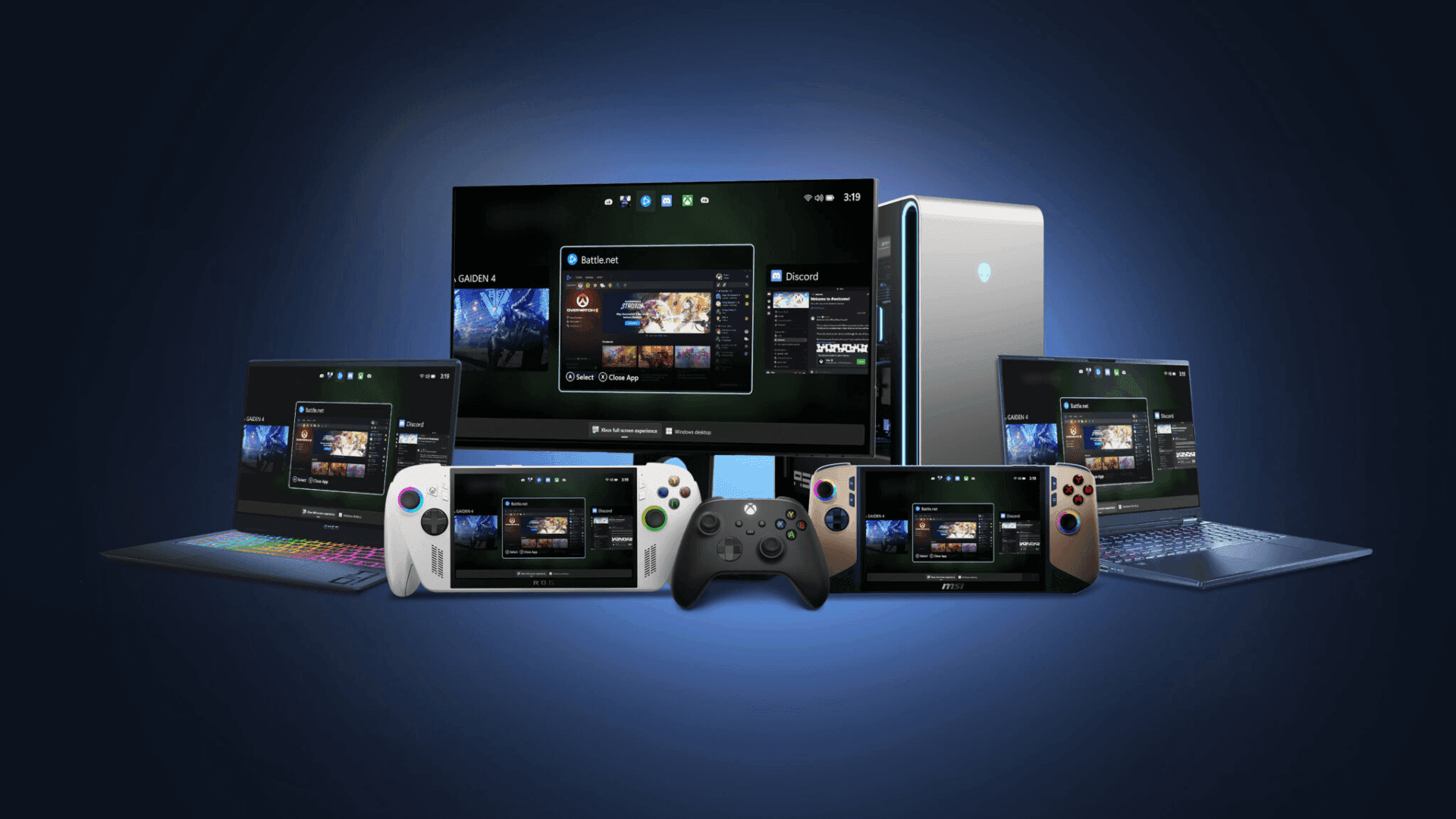

Xbox has officially launched the full screen experience (FSE) for Windows 11 handheld devices, bringing a streamlined and console-like interface to PC gaming. The update introduces performance optimizations and allows devices to boot directly into Xbox, reducing the steps needed to start playing. Designed to provide smoother navigation and faster access to games, the update mirrors the experience players expect from dedicated Xbox hardware.
Expansion to Laptops, Desktops, and Tablets
While handheld devices are the first to receive the update, the full screen experience is also rolling out in preview for other Windows 11 PCs, including laptops, desktops, and tablets. This version is tailored to the PC environment, featuring a controller-friendly interface that emphasizes ease of use for gaming. Users can browse and launch games from multiple libraries, including popular PC storefronts, without leaving a full-screen, immersive interface.
Controller-First Interface and Task Switching
The full screen experience focuses on a controller-first approach, with a UI designed for smooth navigation using an Xbox controller. A built-in Task Switcher allows players to quickly move between games and apps, creating a seamless experience across different applications and enhancing multitasking during gameplay. The interface is intended to replicate the simplicity and consistency of console navigation on a PC.
How to Join the FSE Preview
Players interested in trying the full screen experience on Windows 11 PCs must be part of both the Xbox Insider and Windows Insider Programs. After joining the Xbox Insider Program and installing the Xbox Insider Hub app, users can access Previews and select the PC Gaming Preview to enroll. Windows Insider Program participants need to join the Beta or Dev channels to enable the preview on compatible PCs. Detailed setup instructions are available on the Xbox full screen experience support page.
Sharing Feedback and Support
Xbox encourages participants to provide feedback through the Feedback Hub or the Xbox PC App, ensuring suggestions are submitted under the Gaming category for the full screen experience. The Xbox Insider subreddit also serves as a hub for community support, moderated by both Xbox staff and active Insiders. Engaging with existing discussion threads is recommended before creating new posts, which helps streamline support and maintain organized feedback.
Frequently Asked Questions (FAQs)
What is the Xbox full screen experience?
The Xbox full screen experience is a gaming-focused interface for Windows 11 devices that offers a console-like, controller-friendly environment to browse, launch, and play games.
Which devices support FSE?
FSE is generally available for Windows 11 handhelds and is in preview for laptops, desktops, and tablets running Windows 11.
How can I access FSE on my PC?
To access the preview, join the Xbox Insider and Windows Insider Programs, install the Xbox Insider Hub app, and enroll in the PC Gaming Preview.
Can I use my keyboard and mouse with FSE?
While FSE is designed for controller-first navigation, keyboard and mouse input are still supported for compatible games and applications.
Where can I provide feedback on the experience?
Feedback can be submitted through the Feedback Hub using WIN + F or through the Xbox PC App under Gaming > Xbox > Gaming Full Screen Experience. The Xbox Insider subreddit is also available for discussions and support.
Will FSE be updated for other PC storefronts?
The interface is designed to support games across multiple PC storefronts, and updates may expand compatibility as the feature develops.