
As the holiday season approaches, families often consider Xbox consoles as a gift for younger players. With access to a wide range of games, social interactions, and creative experiences, Xbox offers children both entertainment and opportunities to learn. For parents and guardians, however, managing screen time, monitoring content, and ensuring safe online interactions can be challenging, especially for those new to gaming. Xbox provides tools that make it possible to create a controlled and tailored experience for children, helping families enjoy the console safely.
Setting Up Child Accounts for a Safer Experience
The first step to protecting younger players is to establish a dedicated Xbox Child Account. When setting up a console, selecting “Yes” in response to the question, “Will this console be used by kids?” initiates the process. Child accounts allow parents to control the games their children can access, the amount of time they spend playing, and who they can communicate with online. Importantly, games purchased on the same console can be shared with child accounts, provided the console is designated as the “Home console,” avoiding the need to repurchase content while maintaining parental control.
Managing Screen Time and Content with the Family Settings App
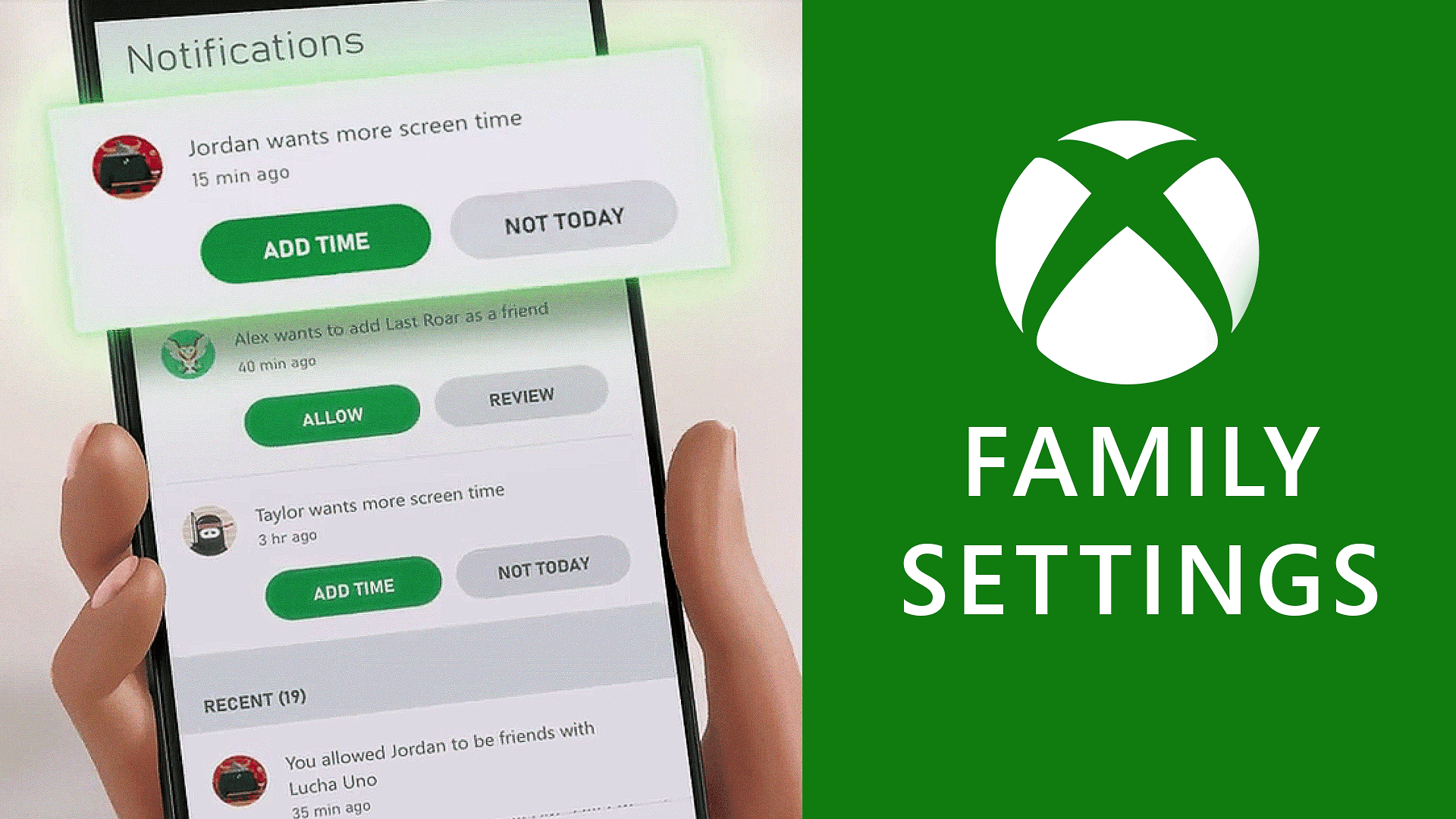
Once a child account is set up, the Xbox Family Settings app becomes a key tool for managing the gaming experience. Available for both Android and iOS devices, the app allows parents to set daily screen time limits and respond to requests for additional playtime. Temporary pauses can also be applied, making it easy to coordinate gaming with household routines like meals or homework. In addition to screen time, the app allows content filtering, ensuring children only have access to age-appropriate games and media.
The app also provides control over purchases and in-game spending. Using the ask-to-buy feature, parents can approve or deny purchases, preventing unexpected charges while still offering the flexibility to add funds as rewards. Communication controls further enhance safety by limiting who children can interact with during gameplay. Friend lists can be managed, incoming requests reviewed, and communication restricted or blocked according to family preferences. Weekly activity reports summarize gameplay habits, time spent, and any requests for new games or additional playtime, helping parents remain informed without needing to be present during play.
Accessibility and Inclusive Gaming Options
Xbox consoles, including the Series X|S, offer a range of accessibility features designed to accommodate all players. These settings allow families to tailor gameplay to meet individual needs, creating an inclusive environment for children with different abilities. Full details on available accessibility options are provided on the Xbox Accessibility site.
Choosing Games for the Whole Family
Xbox Game Pass provides access to hundreds of titles for a single subscription, including a selection of family-friendly games. Parents can use the Family & Kids filter to find age-appropriate options. Playing games together can offer creative stimulation, improve hand-eye coordination, and create opportunities for bonding. Whether children are exploring virtual worlds with friends online or engaging in family game nights, Xbox offers a range of experiences suitable for different ages and interests.
By creating a child account and leveraging the Xbox Family Settings app, parents can provide a controlled, safe, and enjoyable gaming environment. These tools allow families to set boundaries while still enabling children to explore games, connect with friends, and participate in shared gaming experiences during the holiday season.
Make sure to check out our articles about top games to play in 2026:
Best Nintendo Switch Games for 2026
Best First-Person Shooters for 2026
Best PlayStation Indie Games for 2026
Best Multiplayer Games for 2026
Most Anticipated Games of 2026
Top Game Releases for January 2026
Frequently Asked Questions (FAQs)
How do I set up an Xbox Child Account?
During console setup, select “Yes” when asked if the device will be used by kids. Follow the on-screen instructions to create a separate account specifically for your child.
Can I share purchased games with a child account?
Yes, games purchased on the same console can be shared with a child account if the console is designated as the “Home console.”
What is the Xbox Family Settings app?
The Xbox Family Settings app, available on Android and iOS, allows parents to manage screen time, content access, spending, and communication remotely.
How can I limit my child’s online interactions?
Parents can control who a child communicates with by managing friend lists, reviewing incoming requests, and applying restrictions to block or limit interactions.
Are there accessibility features for children with different needs?
Yes, Xbox Series X|S consoles include accessibility settings that can be customized to suit different abilities. Details are available on the Xbox Accessibility website.
Can I monitor my child’s gaming activity?
The Family Settings app provides weekly reports detailing what games your child played, how long they played, and any requests for extra playtime or new games.