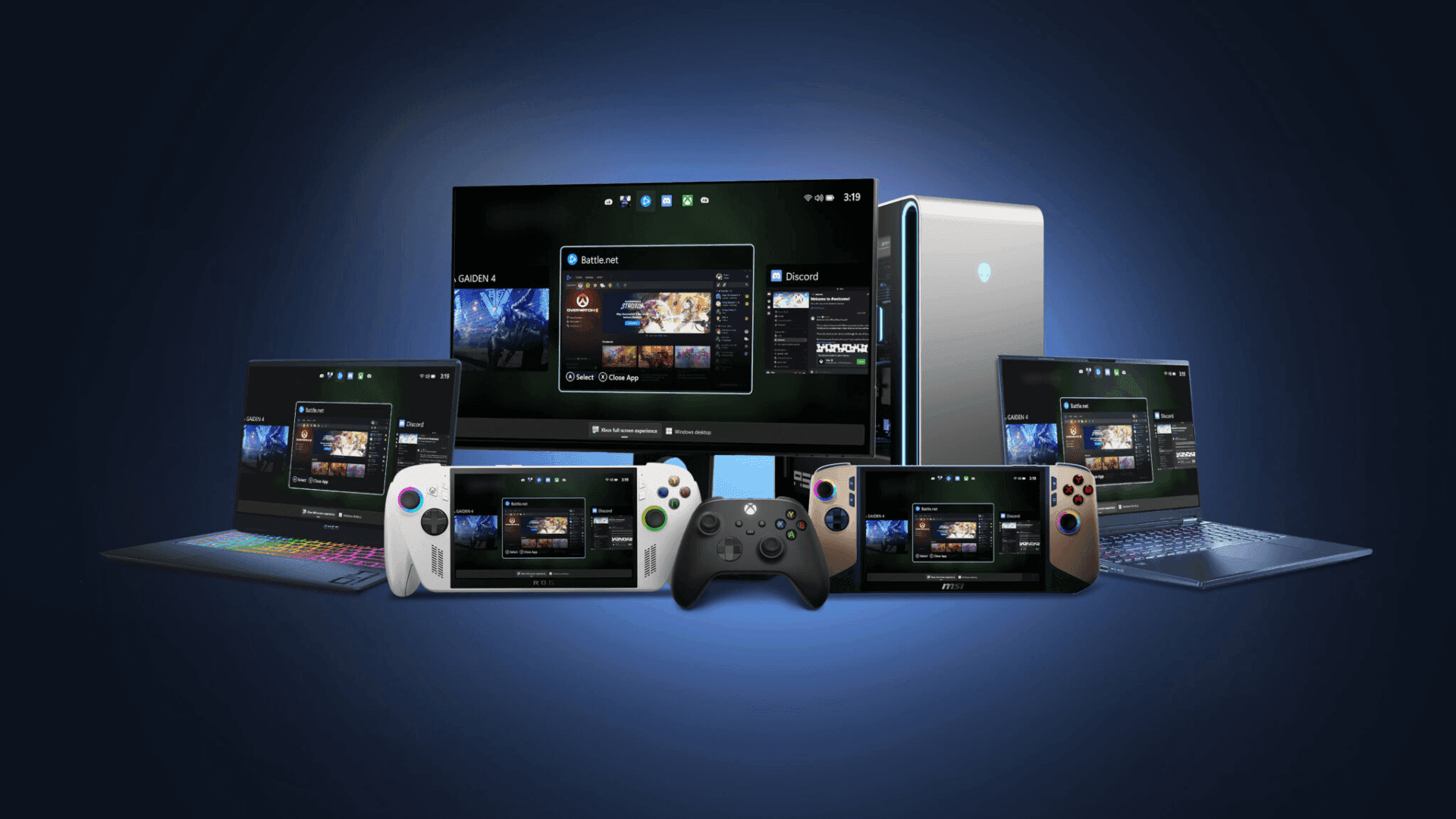

Xbox ने Windows 11 handheld devices के लिए officially full screen experience (FSE) लॉन्च कर दिया है, जो PC gaming के लिए एक streamlined और console-like interface लेकर आया है। इस update में performance optimizations शामिल हैं और devices को सीधे Xbox में boot करने की सुविधा देता है, जिससे gaming शुरू करने के लिए ज़रूरी steps कम हो जाते हैं। यह update उन features को mirror करता है जो players को dedicated Xbox hardware से उम्मीद होती है, ताकि smoother navigation और games तक तेज़ access मिल सके।
Laptops, Desktops, और Tablets तक Expansion
हालांकि handheld devices को यह update सबसे पहले मिल रहा है, full screen experience अन्य Windows 11 PCs के लिए preview में भी roll out हो रहा है, जिसमें laptops, desktops, और tablets शामिल हैं। यह version PC environment के लिए tailored है, जिसमें controller-friendly interface है जो gaming के लिए ease of use पर ज़ोर देता है। Users full-screen, immersive interface छोड़े बिना, multiple libraries से games browse और launch कर सकते हैं, जिसमें popular PC storefronts भी शामिल हैं।
Controller-First Interface और Task Switching
Full screen experience controller-first approach पर focus करता है, जिसमें एक UI है जिसे Xbox controller का उपयोग करके smooth navigation के लिए डिज़ाइन किया गया है। एक built-in Task Switcher players को games और apps के बीच तेज़ी से move करने की सुविधा देता है, जिससे different applications में seamless experience बनता है और gameplay के दौरान multitasking बेहतर होती है। इस interface का उद्देश्य PC पर console navigation की simplicity और consistency को replicate करना है।
FSE Preview में कैसे Join करें
Windows 11 PCs पर full screen experience को try करने में interested players को Xbox Insider और Windows Insider Programs दोनों का हिस्सा होना ज़रूरी है। Xbox Insider Program में join करने और Xbox Insider Hub app install करने के बाद, users Previews को access कर सकते हैं और PC Gaming Preview को select करके enroll कर सकते हैं। Windows Insider Program participants को compatible PCs पर preview enable करने के लिए Beta या Dev channels में join करना होगा। Detailed setup instructions Xbox full screen experience support page पर उपलब्ध हैं।
Feedback और Support Share करना
Xbox participants को Feedback Hub या Xbox PC App के माध्यम से feedback provide करने के लिए encourage करता है, यह सुनिश्चित करते हुए कि suggestions full screen experience के लिए Gaming category के तहत submit किए जाएं। Xbox Insider subreddit भी community support के लिए एक hub के रूप में काम करता है, जिसे Xbox staff और active Insiders दोनों द्वारा moderated किया जाता है। New posts बनाने से पहले existing discussion threads के साथ engage करने की सलाह दी जाती है, जो support को streamline करने और organized feedback बनाए रखने में मदद करता है।
Frequently Asked Questions (FAQs)
Xbox full screen experience क्या है?
Xbox full screen experience Windows 11 devices के लिए एक gaming-focused interface है जो games को browse, launch और play करने के लिए एक console-like, controller-friendly environment प्रदान करता है।
कौन से devices FSE support करते हैं?
FSE सामान्य तौर पर Windows 11 handhelds के लिए उपलब्ध है और Windows 11 चलाने वाले laptops, desktops और tablets के लिए preview में है।
मैं अपने PC पर FSE कैसे access कर सकता हूँ?
Preview access करने के लिए, Xbox Insider और Windows Insider Programs में join करें, Xbox Insider Hub app install करें, और PC Gaming Preview में enroll करें।
क्या मैं FSE के साथ अपना keyboard और mouse इस्तेमाल कर सकता हूँ?
हालांकि FSE controller-first navigation के लिए डिज़ाइन किया गया है, compatible games और applications के लिए keyboard और mouse input अभी भी supported हैं।
मैं experience पर feedback कहाँ दे सकता हूँ?
Feedback WIN + F का उपयोग करके Feedback Hub के माध्यम से या Xbox PC App में Gaming > Xbox > Gaming Full Screen Experience के तहत submit किया जा सकता है। Discussions और support के लिए Xbox Insider subreddit भी उपलब्ध है।
क्या FSE को अन्य PC storefronts के लिए update किया जाएगा?
यह interface multiple PC storefronts पर games को support करने के लिए डिज़ाइन किया गया है, और जैसे-जैसे feature विकसित होगा, updates compatibility का विस्तार कर सकते हैं।